
Soft glow, softer keys — a cozy start to your gaming setup.
There’s a quiet kind of satisfaction in building your setup slowly.
Not everything needs to be top-tier. Sometimes, a simple keyboard with a gentle RGB glow is enough to make your desk feel complete.
If you’re searching for a cheap RGB keyboard under ₹800 in India, this guide keeps it real — no hype, just what actually works.
This post may contain affiliate links. If you choose to buy through them, I may earn a small commission — at no extra cost to you.
💡 What to Expect at This Budget
Before we jump in, let’s be honest:
- All keyboards here are membrane (not mechanical)
- RGB is preset (no software customization)
- Build quality is basic but usable
But for:
- Students
- Casual gamers
- First setup builds
👉 These are more than enough.
🥇 Best Overall Pick (Balanced & Reliable)
Cosmic Byte CB-GK-20
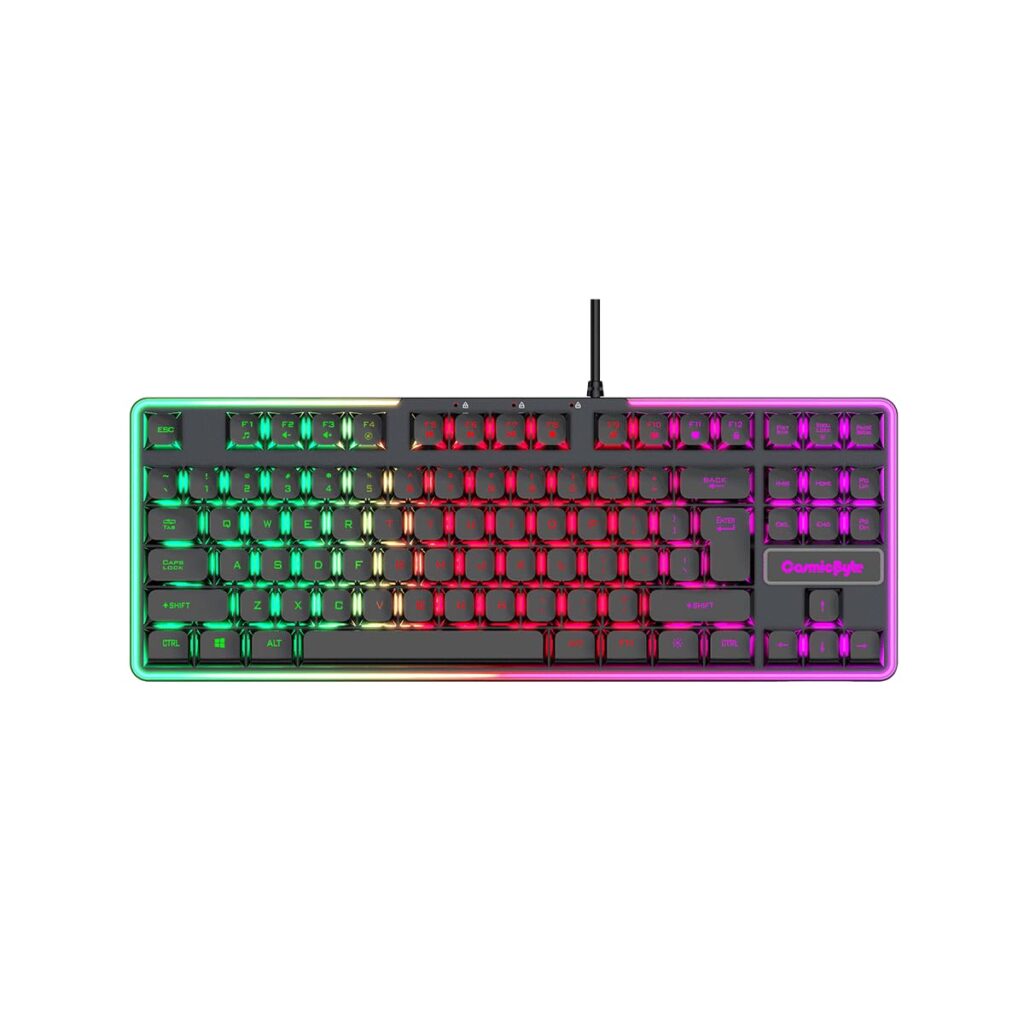
This is the one is recommended without overthinking.
✔ Why it works
- Even, clean RGB lighting (not patchy like cheaper ones)
- Comfortable typing for long study sessions
- More durable than most keyboards in this range
✖ What to keep in mind
- No advanced RGB control
- Not built for competitive-level gaming
💰 Usual Price: ₹550–₹650
🎮 Best for Aesthetic Setup
Zebronics Transformer-K2
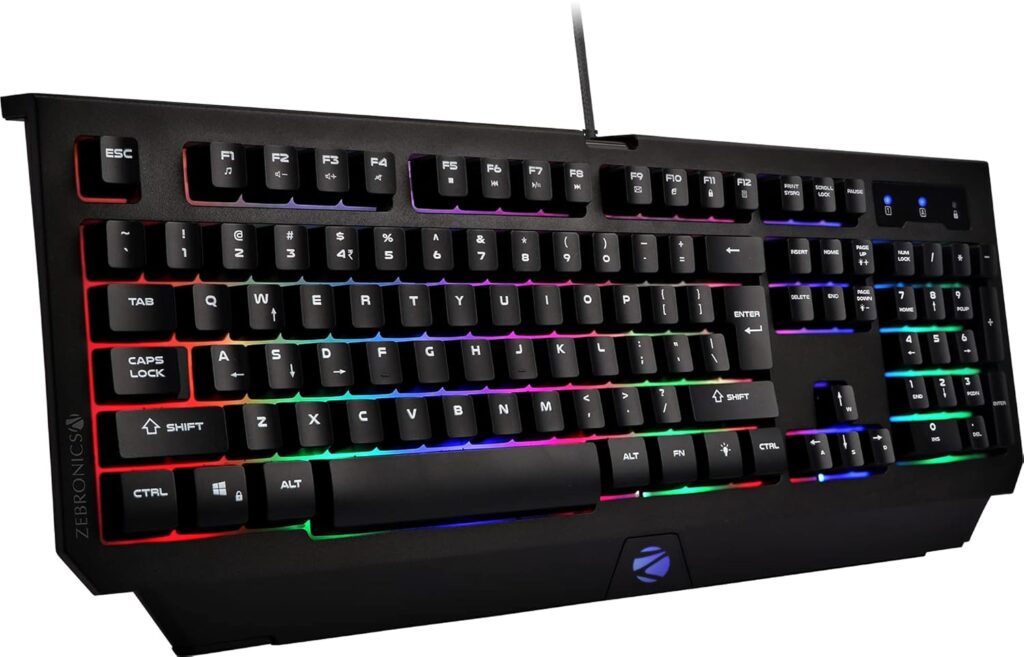
If your setup matters visually (and let’s be honest, it does), this one stands out.
✔ Pros
- Floating key design = looks premium at night
- Bright RGB that pops in darker rooms
- Easily available everywhere
✖ Cons
- Slightly stiff typing feel
- Build is decent, not great
💰 Usual Price: ₹700–₹800
⚖️ Best Balanced Budget Choice
Ant Esports MK1400
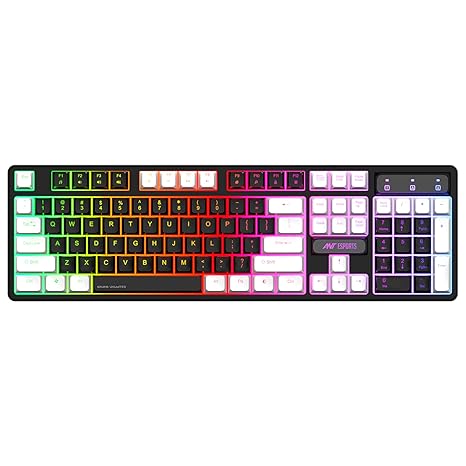
Not flashy, not bad — just a safe middle ground.
✔ Pros
- Decent durability for the price
- Works well for study + light gaming
- Clean, simple RGB
✖ Cons
- Design feels a bit plain
- Lighting isn’t very vibrant
💰 Usual Price: ₹550–₹650
🎁 Best Combo Value Option
Frontech Dragon Warrior
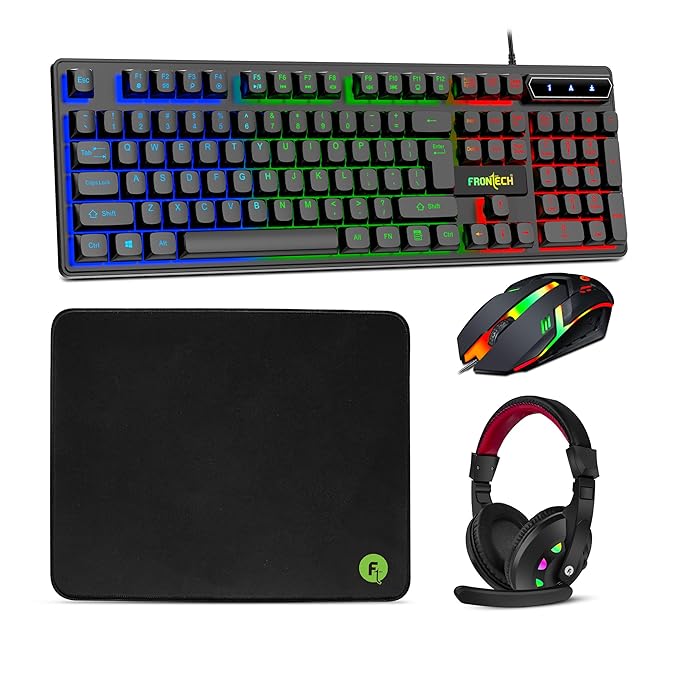
Often sold with a mouse — good if you’re starting from scratch.
✔ Pros
- Value-for-money combo deals
- Beginner-friendly setup
- Simple RGB effects
✖ Cons
- Average lifespan
- Not ideal for heavy daily use
💸 Cheapest RGB You Can Get
Geonix Cruiser K5
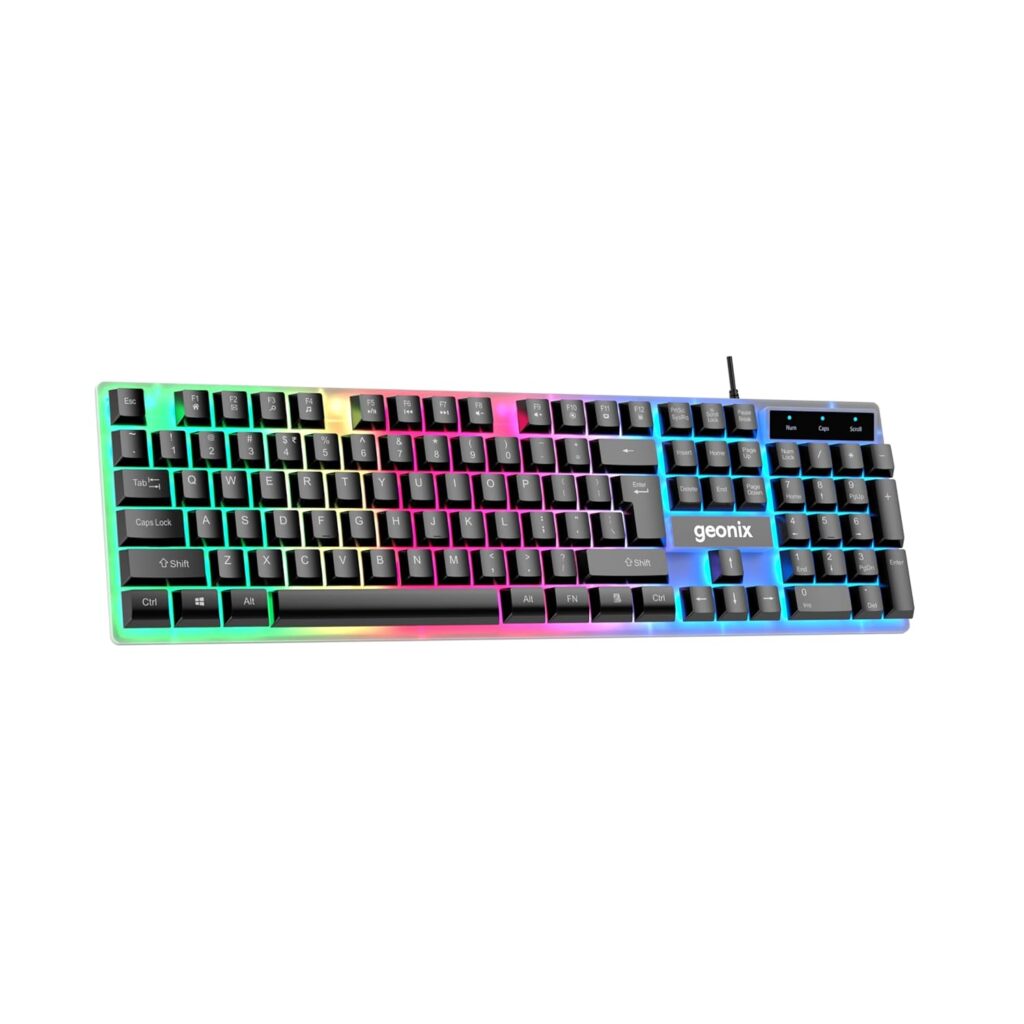
When budget is tight, this gets the job done.
✔ Pros
- Extremely affordable
- Basic RGB works fine
- Lightweight and simple
✖ Cons
- Weak build quality
- Keys feel very basic
💰 Usual Price: ₹400–₹500
📊 Quick Comparison (Pick Fast)
| Keyboard | Price | RGB | Build | Best For |
|---|---|---|---|---|
| CB-GK-20 | ₹600 | ⭐⭐⭐⭐ | ⭐⭐⭐⭐ | Overall best |
| Transformer-K | ₹750 | ⭐⭐⭐⭐ | ⭐⭐⭐ | Aesthetic setups |
| MK1400 | ₹600 | ⭐⭐⭐ | ⭐⭐⭐ | Balanced use |
| Dragon Fox | ₹650 | ⭐⭐⭐ | ⭐⭐ | Combo buyers |
| Cruiser K5 | ₹450 | ⭐⭐ | ⭐⭐ | Lowest budget |
🎯 Which One Should You Actually Buy?
- Go for CB-GK-20 → if you want no regrets
- Pick Transformer-K → if your setup aesthetic matters
- Choose MK1400 → if you want balance
- Take Cruiser K5 → only if budget is very tight
🚫 Who Should NOT Buy These?
Let’s keep it honest:
Skip these if you:
- Play competitive FPS seriously
- Want clicky mechanical feel
- Expect long-term durability (3+ years)
Instead, consider saving for a budget mechanical keyboard (~₹1500–₹2500).
🔗 Related Setup Upgrades (Worth Pairing)
If you’re building your setup step-by-step:
- Pair this with a budget gaming mouse under ₹1000
- A gaming headset
- Upgrade later to a 144Hz monitor for real gaming improvement
❓ FAQ (Real Questions You Might Have)
Q1. Is a cheap RGB keyboard worth it?
Yes — if your goal is basic gaming + aesthetics, not performance.
Q2. Will the RGB stop working?
Not usually.
But cheaper boards may fade slightly over time.
Q3. Can I use this for Valorant?
Yes, but:
- Fine for beginners
- Not ideal for ranked grinding
Q4. Are these good for long study sessions?
Actually yes — membrane keyboards are:
- Softer
- Less tiring than mechanical
Q5. How long will it last?
- ₹400–₹500 → ~6–12 months
- ₹600–₹800 → ~1–2 years
🌙 Final Thoughts
A setup doesn’t need to be expensive to feel like yours.
A soft keyboard, a little RGB glow, maybe your notes beside it — that’s already a space where things start. These keyboards won’t give you an esports edge, but they’ll quietly support your routine.
And sometimes, that’s exactly what you need.
Start simple. Upgrade slowly. Stay cozy.
If you are looking for a mechanical keyboard upgrade then check here.