
🎮 Top 5 Budget Gaming Monitors in 2026 (Best Value Picks for Gamers)
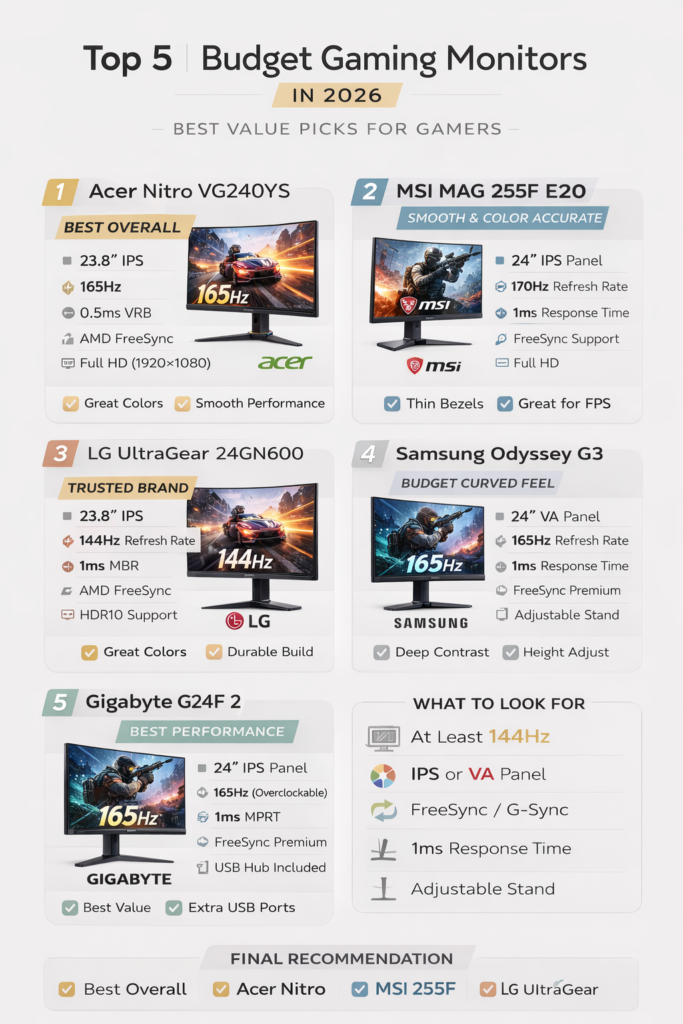
Looking for a budget gaming monitor that delivers smooth gameplay without burning your wallet? Whether you’re grinding ranked matches, exploring open worlds, or streaming your gameplay, a good monitor makes a massive difference.
In India, gaming monitors under ₹15,000 have improved massively in 2026. With 144Hz–170Hz refresh rates and IPS panels becoming standard, budget gamers no longer need to compromise on performance. Whether you’re playing Valorant, CS2, Apex Legends, or using a PS5, choosing the right monitor can significantly improve reaction time and visual clarity.
Here are the Top 5 Budget Gaming Monitors in 2026 that give you the best value for money.
If you are confused about all the terms and technicalities, then you can check out Beginner’s Guide to Buying a Monitor.
This post may contain affiliate links. I may earn a small commission at no extra cost to you. Please read our Affiliate Disclaimer for more details.
1️⃣ Acer Nitro VG240YS – Best Overall Budget Pick
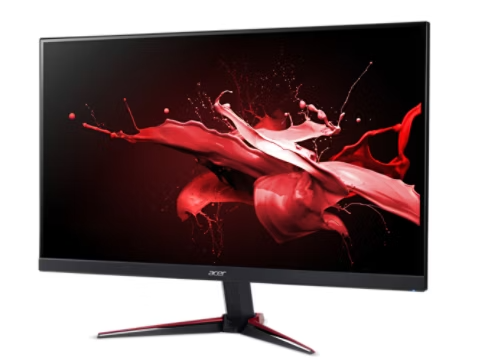
⭐ Key Specs
- 23.8-inch IPS panel — wide viewing angles and good colour accuracy for the pricerange.
- 165 Hz refresh rate — smoother motion and responsiveness than typical 60 Hz screens.
- 0.5 ms (VRB) / ~1 ms MPRT response — reduces motion blur during fast gameplay.
- AMD FreeSync Premium — helps eliminate tearing and stutter with compatible GPUs.
- Full HD (1920×1080) — easy to drive high frame rates even on budget GPUs.
💡 Why It’s Worth Considering
This monitor balances good colour and everyday use comfort with competitive gaming features:
✔ IPS colours — nicer, more accurate visuals than TN panels, making movies and productivity look better too.
✔ High refresh + low response — 165 Hz refresh rate feels fluid in shooters like Valorant, Apex, and Fortnite while still handling single-player games well.
✔ FreeSync Premium — pairs with AMD and compatible NVIDIA cards to reduce tearing and judder.
✔ Connectivity — usually includes 2× HDMI + DisplayPort, so you can connect a PC and console without fuss.
✔ Eye-care features — Acer VisionCare tech helps reduce eye strain during long sessions.
🧠 Who This Is Good For
- Budget gamers who want smooth 165 Hz responsiveness without paying big for high-end monitors.
- Players on GPUs like GTX 1650 / RX 5700 / RTX 3050 — easy to hit high FPS at 1080p.
- Mixed use setups — schoolwork, movies, productivity, and gaming, all in one.
📌 A Balanced Verdict
This isn’t a paints-the-universe flagship — but for its price, it’s one of the most balanced mid-range monitors you can pair with a gaming PC or console if you care about both colours and smooth gameplay. You also get useful extras like eye care controls and adaptive-sync tech that make daily use more enjoyable.
Price: Usually 8,999 Rs
👉 Check Latest Price on Amazon (Limited Stock)
2️⃣ MSI MAG 255F E20– Smooth & Color Accurate
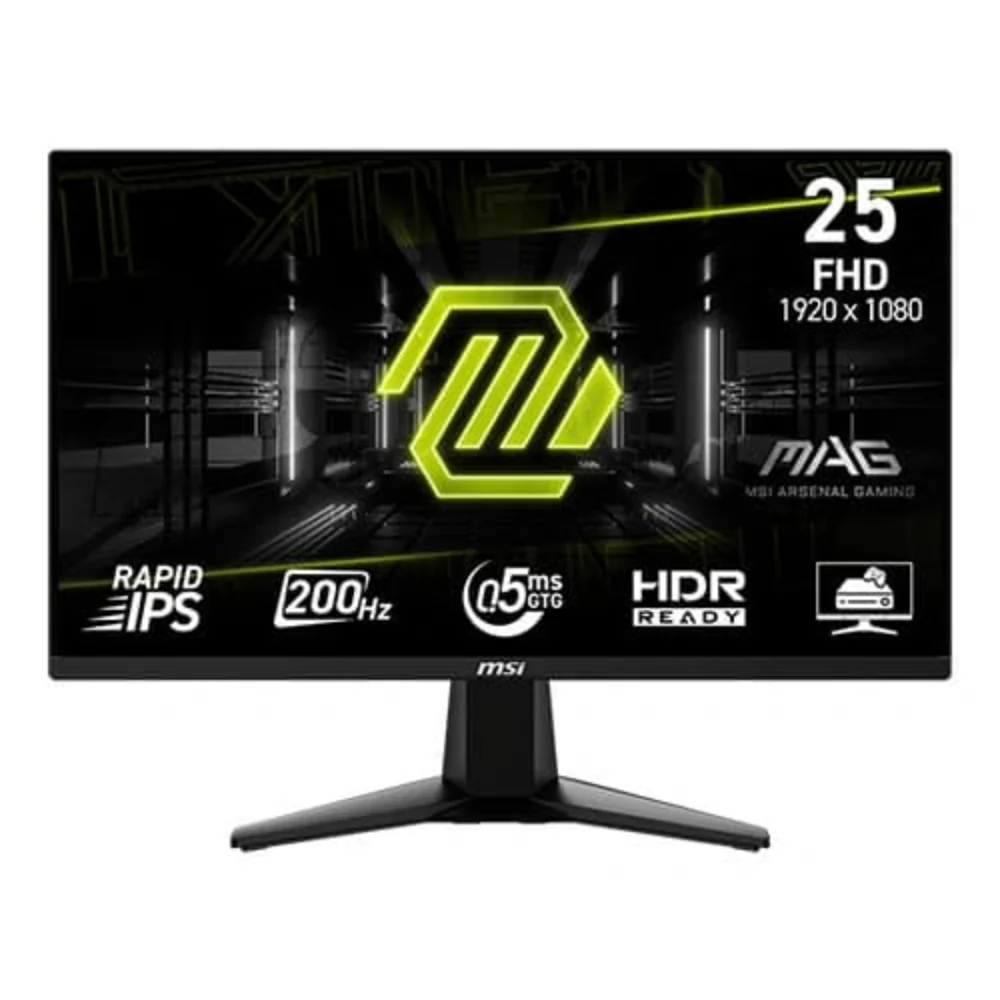
⭐ Key Specs
- 25-inch IPS panel — great viewing angles and accurate colours
- 165 Hz refresh rate — fluid motion for FPS and fast-paced gameplay
- 1 ms response time — low ghosting during quick camera turns
- Adaptive-Sync support (FreeSync / G-SYNC Compatible) — reduces screen tearing
- Full HD (1920×1080) — easy to drive high frame rates on budget GPUs
💡 Why It’s Worth Considering
MSI’s MAG 255F E20 is designed for gamers who want both smoothness and visual clarity without overpaying:
✔ Smooth gameplay: 165 Hz + low response keeps motion crisp and reactive
✔ Colour accuracy: IPS panel means better hues and consistency than TN or VA at this price
✔ Adaptive-Sync: helps keep tearing and stutter under control with AMD/NVIDIA GPUs
✔ Good balance: sized slightly larger than 24″ — useful for both work and gaming
This makes it versatile for:
- Competitive shooters (Valorant, CS2, Overwatch)
- Story games with detailed visuals
- Everyday productivity and streaming
🧠 Who This Monitor Is Great For
- Mid-range PC builders — easy to push high FPS at 1080p
- Console players — smooth feel if your console supports high refresh rates
- Gamers who care about colours — IPS visuals make a noticeable difference
📌 Quick Take
The MSI MAG 255F E20 strikes a balanced blend of speed, colour, and responsiveness — making it a solid choice under budget-friendly 165 Hz IPS options. It’s especially appealing if you want smooth performance for competitive games without sacrificing everyday use quality.
Price: Usually 9,499 Rs
👉 Check Latest Price on Amazon (Limited Stock)
3️⃣ LG UltraGear 24GN600 – Trusted Brand Option
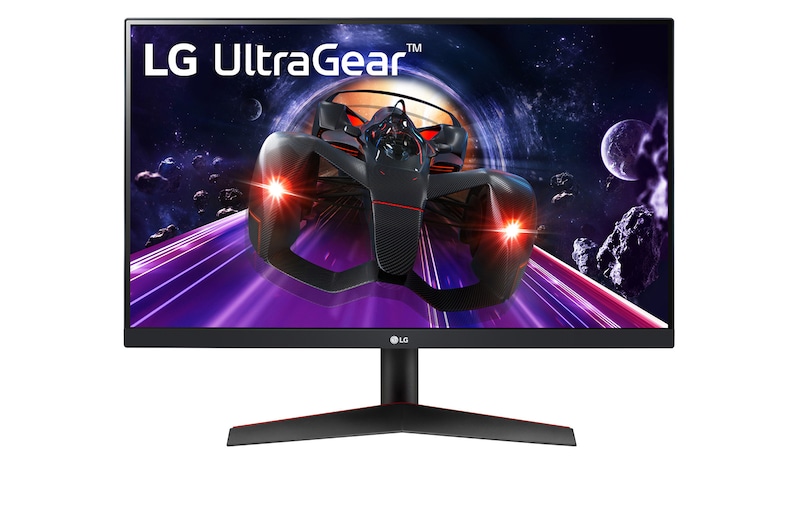
⭐ Key Specs
- 24-inch IPS panel — great colours and wide viewing angles
- 144 Hz refresh rate — noticeably smoother than 60 Hz for gaming
- 1 ms Motion Blur Reduction — keeps action crisp
- AMD FreeSync Premium — helps reduce tearing and stutter
- Full HD (1920×1080) — easy on GPUs and keeps high FPS
💡 Why It’s a Trusted Brand Pick
LG UltraGear is a name a lot of gamers recognize — and this model lives up to that reputation without a big price tag:
✔ Consistent colour performance — IPS panel looks good for games, movies, and everyday use
✔ Smooth gameplay — 144 Hz makes movement feel fluid
✔ Reliable build quality — the UltraGear lineup is known for good long-term reliability
✔ Adaptive-Sync support — minimises tearing with both AMD and compatible NVIDIA GPUs
This makes the 24GN600 a solid all-rounder: not the flashiest, but dependable and easy to pair with most GPUs.
🧠 Who It’s Best For
- Gamers on a mid-budget build — great for shooters and casual AAA titles
- Console players with high Hz support (PS5/Series X) — smoother feel when supported
- Everyday users — IPS colour quality makes work and multimedia look nicer
📌 Quick Verdict
The LG UltraGear 24GN600 isn’t about breaking records — it’s about trusted, reliable performance from a brand many gamers and creators already trust. If you want a simple, no-nonsense 144 Hz monitor that does its job well, this is a great choice.
Price: Usually 10,999 Rs
👉 Check Latest Price on Amazon (Limited Stock)
4️⃣ Samsung Odyssey G3 – Budget Curved Feel (Flat Panel)
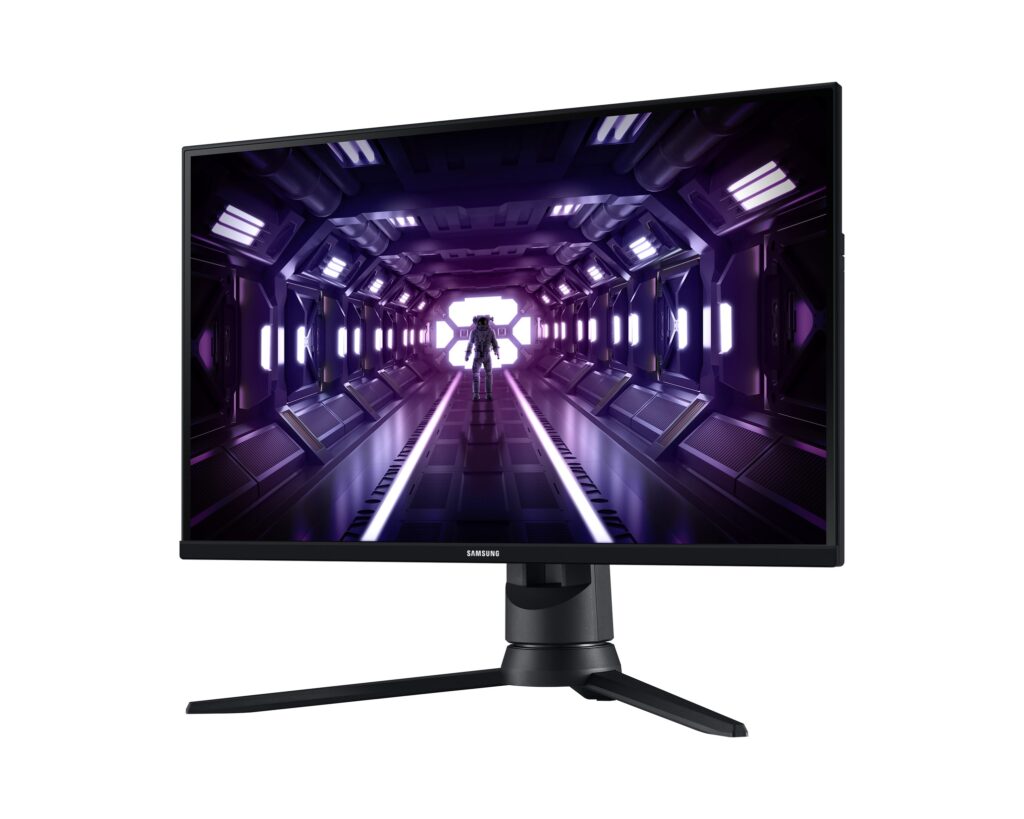
This one is a little expensive.
⭐ Key Specs
- 24–27″ panel size range (commonly 24″/27″ options) — immersive but compact
- 144 Hz refresh rate — smooth motion compared to 60 Hz
- 1 ms response time (MPRT) — low motion blur in games
- FreeSync / Adaptive-Sync — reduces tearing with compatible GPUs
- Full HD (1920×1080) — easy to drive, especially at 144 Hz
💡 Why It’s Worth Considering
✔ Curved styling — modern gamer feel without a big price jump
✔ Smooth gameplay — 144 Hz keeps motion fluid in shooters and fast scenes
✔ Good everyday performance — works for schoolwork, movies, and general use too
✔ Affordable value — strong option if you want a gaming monitor on a budget
Even though the panel isn’t deeply curved like high-end Odyssey models, the subtle curve still gives a more immersive feel than a plain flat screen.
🧠 Who This Monitor Is Good For
- Casual and competitive gamers on budget PCs
- Students and everyday users who want a gaming-friendly display that still works for work and study
- Console players who get high refresh support
📌 Quick Verdict
The Samsung Odyssey G3 is a budget pick with a gamer look — smooth 144 Hz feel, adaptive sync support, and an appealing curved look without the premium price tag. It’s not a flagship-level panel, but it delivers solid bang for the budget if you want something that feels more immersive than just flat panels.
Price: Usually 13,599 Rs
👉 Check Latest Price on Amazon (Limited Stock)
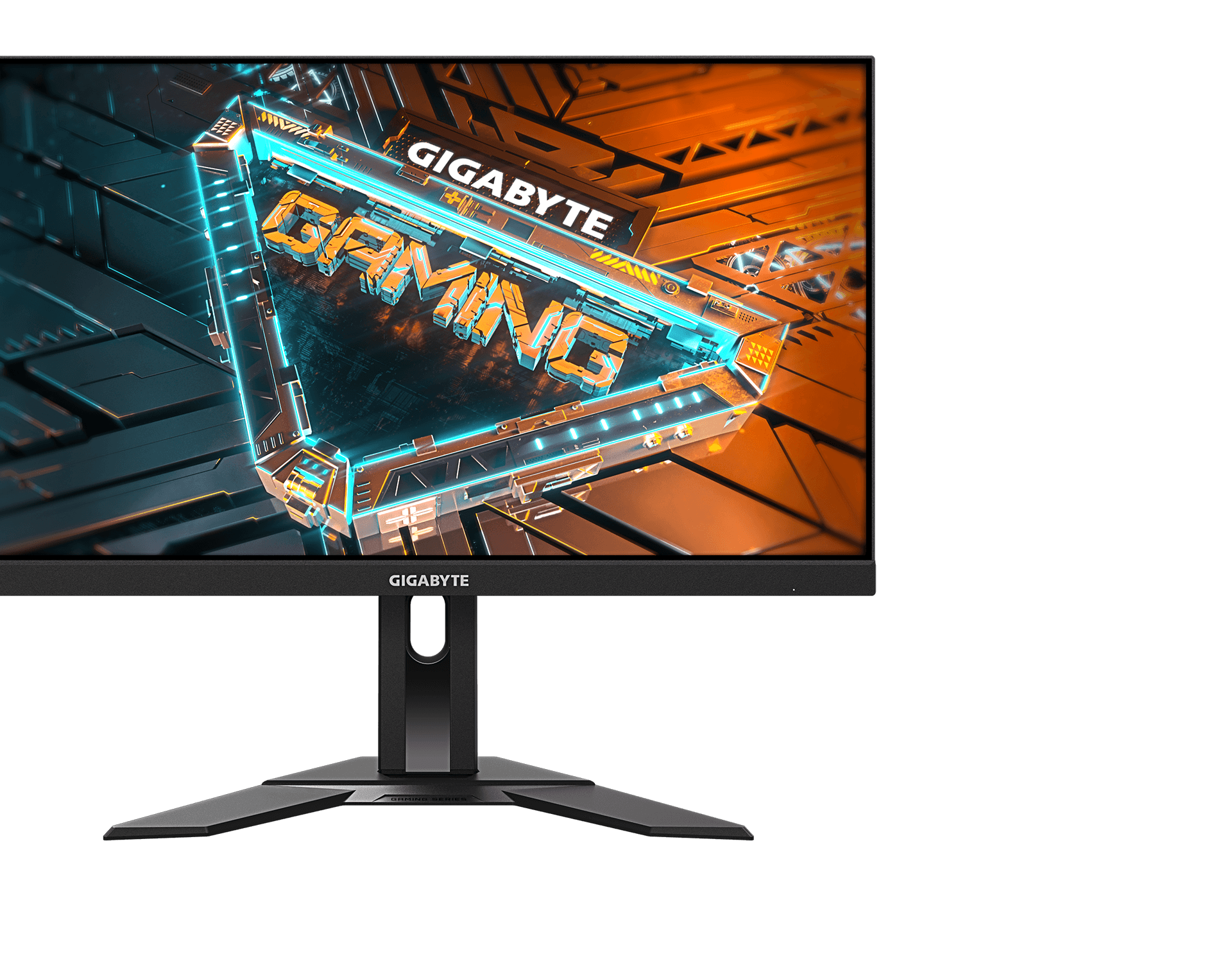
5️⃣ Gigabyte G24F 2 – Best Performance Under Budget
⭐ Key Specs
- 23.8″ / 24″ IPS panel — solid colours and wide viewing angles
- 165 Hz refresh rate — ultra-smooth motion and responsiveness
- 1 ms response time (MPRT) — low motion blur during fast games
- Adaptive-Sync (FreeSync / G-SYNC Compatible) — less tearing and stutter
- Full HD (1920×1080) — easy to drive high FPS on mid-tier GPUs
💡 Why It’s Worth Buying
✔ Smooth performance: 165 Hz feels fluid in shooters and action titles
✔ Great colours for the price: IPS panel means better visuals than many TN options
✔ Adaptive sync support: works with both AMD and NVIDIA for tear-free play
✔ Balanced for gaming & everyday use: suitable for schoolwork, movies, and gaming in one
This monitor strikes a strong value balance — not just a “budget screen,” but one that genuinely feels good for both work and play.
🧠 Who This Monitor Is Best For
- Budget gamers who still want 165 Hz responsiveness
- Casual and competitive play: shooters, MOBAs, action RPGs
- Everyday users: school, streaming, and multimedia look nicer thanks to IPS
📌 Quick Verdict
The Gigabyte G24F 2 is arguably one of the best performance-to-price options under budget monitors. You get smooth refresh rates, adaptive sync, and IPS-level colour quality — making it a strong pick for gamers who want more than just “cheap and basic.”
Price: Usually 8,999 Rs
👉 Check Latest Price on Amazon (Limited Stock)
⭐ My Favorite Pick – BenQ MOBIUZ EX251 (220Hz)
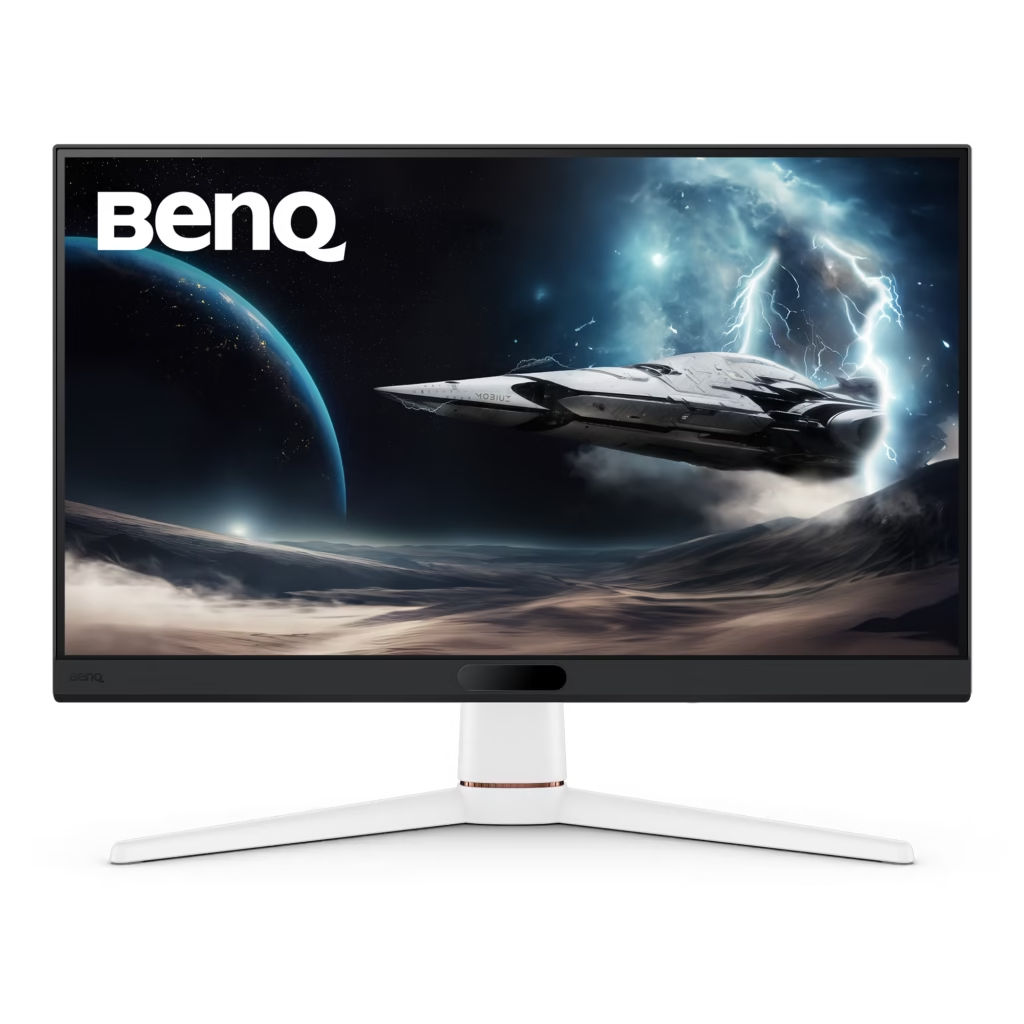
🏆 Top Pick: BenQ MOBIUZ EX251 – 24.5″ FHD 220Hz Gaming Monitor
If you want a monitor that’s fast, responsive, and competitive-ready, the BenQ MOBIUZ EX251 stands out in this budget-friendly lineup.
BenQ has long been popular in esports and competitive gaming circles for producing bright, well-tuned panels that help improve visibility during gameplay. Clearer contrast and punchier colors can actually help in FPS titles where spotting enemies quickly matters.
This 24.5″ FHD monitor delivers:
✔ 220Hz refresh rate — ultra-smooth motion for fast-paced FPS games
✔ 1ms GTG response time — crisp transitions with minimal ghosting
✔ AMD FreeSync support — reduced screen tearing
✔ 99% sRGB color coverage — vibrant and accurate color reproduction
✔ DisplayHDR 400 — enhanced brightness and contrast
✔ Built-in speakers — convenient for casual use
The 24.5-inch size is ideal for competitive play, keeping everything within your natural field of view without excessive head movement.
What makes this my top pick is how it balances high refresh rate performance with strong color production. It’s not just smooth — it’s bright, clear, and optimized for gaming visibility.
If your GPU can consistently push high frame rates, this monitor really shines.
Price: Usually 13,000 Rs
👉 Check Latest Price on Amazon (Limited Stock)
🛒 What to Look for in a Budget Gaming Monitor
Before buying, make sure you check:
✅ At least 144Hz refresh rate
✅ IPS panel (better colors) or VA (better contrast)
✅ FreeSync / G-Sync support
✅ 1ms response time
✅ Adjustable stand (if possible)
Here is a comprehensive table
| Monitor | Panel | Refresh Rate | Response Time | Price Range | Best For |
|---|---|---|---|---|---|
| Acer VG240YS | IPS | 165Hz | 0.5ms | ₹8–9k | Overall Gaming |
| MSI MAG 255F | IPS | 170Hz | 1ms | ₹9–10k | Competitive |
| LG 24GN600 | IPS | 144Hz | 1ms | ₹10–11k | Reliable Brand |
| Samsung G3 | VA | 165Hz | 1ms | ₹13–14k | Reliable Brand |
| Gigabyte G24F 2 | IPS | 165Hz | 1ms | ₹8–10k | Performance |
❓ Frequently Asked Questions
Is 144Hz enough for gaming in 2026?
Yes, 144Hz is more than enough for most gamers. Competitive players may prefer 165Hz or 170Hz, but 144Hz already provides smooth gameplay compared to 60Hz.
IPS vs VA – Which is better for gaming?
IPS offers better color accuracy and viewing angles. VA panels provide deeper blacks and better contrast. For FPS games, IPS is generally preferred.
Is 24-inch best for Full HD gaming?
Yes, 24-inch is ideal for 1080p resolution as it maintains sharp image quality without pixel stretching.
🎯 Final Recommendation
If you want safe & balanced → Go for Acer Nitro VG240YS
If you want maximum smoothness → MSI MAG 255F E20
If you want trusted brand reliability → LG UltraGear 24GN600
If you want, I can also check out the links to buy.
If you’re building a complete budget setup and want all components balanced under one budget, check my ₹20,000 Gaming Setup in India (2026) guide.
Pingback: ₹20,000 Gaming Setup in India (2026) – Complete Budget Desk Build Guide - Cozy Corner
Pingback: Beginner Guide to Buying a Monitor (2026) – How to Choose the Right Monitor for Work, Study & Gaming - Cozy Corner